Understanding the Main Navigation
Navigate confidently through COFFEE CRM and know exactly where to find the tools you need.
For: All Users
Time: 5 minutes
Instructions
1
The Left Sidebar
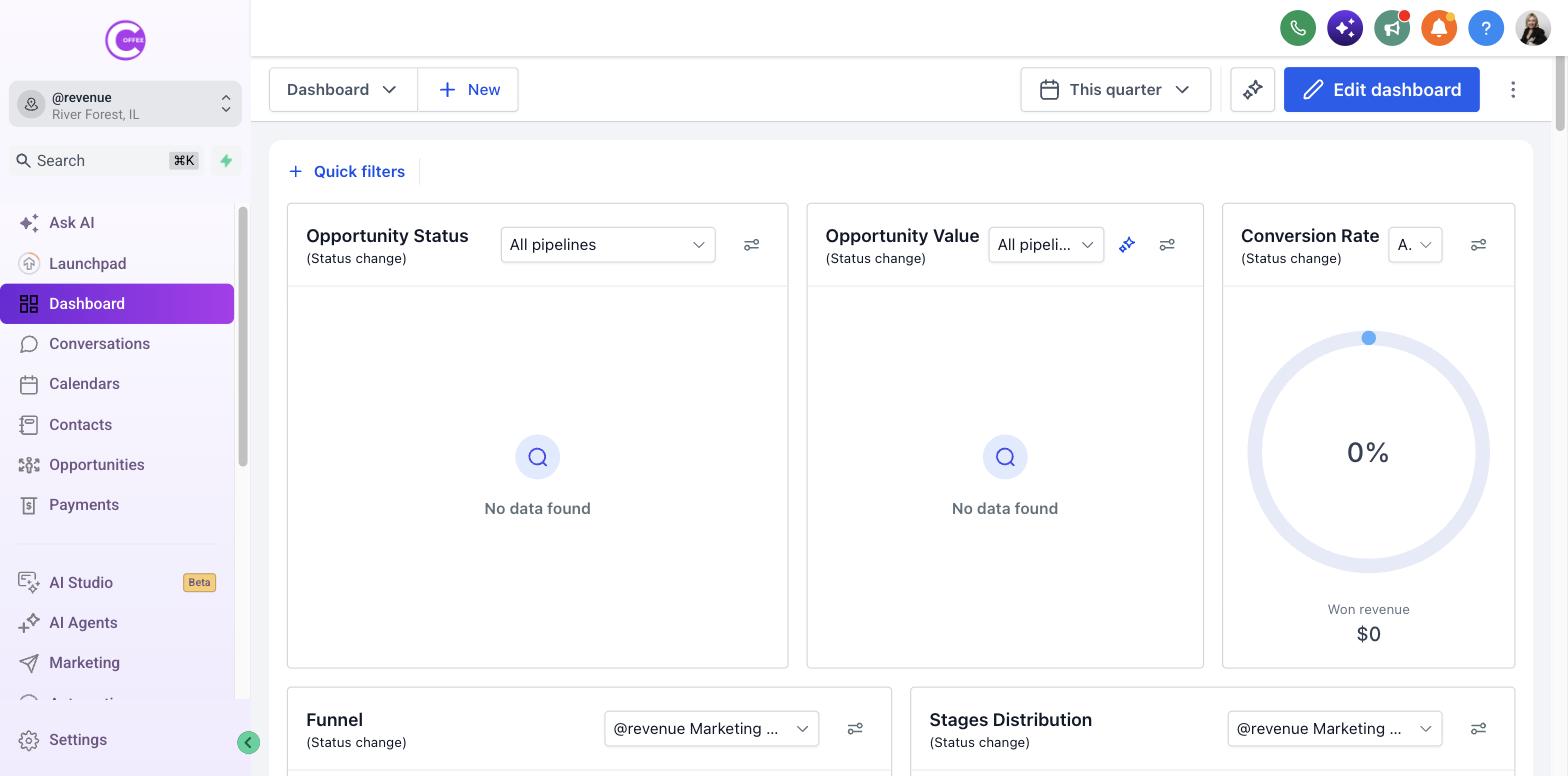
The left sidebar is your main control panel. It is divided into sections like Conversations, Calendars, Contacts, Opportunities, and Marketing.
2
The Settings Menu
At the very bottom of the left sidebar, you will find "Settings." This is where administrators configure the business, add users, and set up integrations.
[SCREENSHOT NEEDED: Bottom left corner highlighting Settings]
3
Quick Actions
Use the "+" icon at the top of the screen (or the lightning bolt icon) to quickly add a contact, book an appointment, or send a message without leaving your current page.
[SCREENSHOT NEEDED: Top navigation bar highlighting Quick Actions]
What Success Looks Like
- You can locate the Conversations inbox.
- You know where to find the Settings menu.
Troubleshooting
If Some menu items are missing:
Your available options may differ based on your COFFEE CRM plan and user permissions. If you need access to a specific tool, ask your administrator.
Last updated: 10/1/2026